
FbinstTool
FbinstTool是一款安全可靠万能U盘制作工具,辅助用户轻松制作winpe或是GHO还原系统,支持将sd卡、U盘、移动硬盘等usb设备制作成系统启动盘。
|
软件语言:
|
软件授权:免费
|
|
适用系统:Windows
|
创建时间:2020-12-14 |
|
软件厂商/开发者信息: -
|
|
资讯 更多
- FbinstTool v1.701 官方版更新 2019-06-11
简要说明
最新的 FbinstTool 版本是 1.607 版。
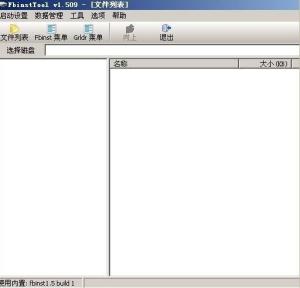
注:右图所示的是 FbinstTool
FbinstTool 是 Fbinst 的 GUI 程序
| Fbinst 作者 | Bean | 说明与下载 |
|---|---|---|
| FbinstTool 作者 | jianliulin | 说明与下载 |
使用方法
插入 U 盘,提前备份好数据,因为格式化会清除 U 盘所有数据的。
菜单中选格式化,选强行格式化 (第一次使用),分区大小是你要保存在隐藏分区中文件所需的大小。
格式化很快就完成了。最好弹出一次 U 盘,再插入就可以正常使用了。
分区中的隐藏文件可以用自己的 iso 文件,也可以去下载一些做好的 PE。
软件支持多种引导。要是新手的话,建议直接去无忧下载一个做好的 fba 文件,菜单里选从文件恢复数据就行了。
注意事项
量产过的 U 盘也可以再用 FbinstTool 进行分区,不影响以前量产。UD 是使用时空论坛的 bean 制作 fbinst 或者它的 gui 界面 fbinsttool 产生的一个分区,可以在硬盘、u 盘或者是储存卡上上分出一个隐藏的分区,其特性是除了基于 fbinst 的工具可以进行读取之外的任何软件或者系统都无法读取其中的数据,具有防病毒、木马和防格式化的功能!
如果使用第三方的磁盘工具是可以进行删除 ud 分区的,这是跟 u 盘量产一个不同的地方,可以轻易的恢复到原来 u 盘的状态。格式化优盘后会预留 8M(1-16064 扇区) 隐藏区,在每个扇区固定位置都写入该扇区在 WIN 下的 LBA 值,并在 1-63 扇区都写入 bootcode。BIOS 启动时,通过 bootcode 读取预先写入的 LBA 值,并与 BIOS 识别的 LBA 值进行比较,找出差距,倒推出当前 BIOS 对 U 盘的识别和访问情况,根据这个情况来调整纠正对 U 盘的访问。
由于种种复杂原因,不同 BIOS 对 U 盘 CHS/LBA 参数处理结果不尽相同,导致同一个 U 盘,在一台机器上 BOOT 成功,在另一台机器上就可能 BOOT 失败。[wuwuzz 注:早期硬盘也有类似问题,但最后通过多个工业标准,已经解决。而 USB 是万能接口,且有关标准未得到厂商统一遵守,问题更复杂]开源社区的 bean 提出了巧妙构思,开发出 fbinst,基本解决了 BIOS 下的 CHS/LBA 参数适应调整问题,使 U 盘 BOOT 成功率大大提高。(除非碰上了极度变态的主板和 BIOS)。[wuwuzz 注:bean 老大同时也是 grub4dos 和 grub2 开源项目在我国的开发/维护者]
所有命令
Usage:
fbinst[OPTIONS] DEVICE_OR_FILE COMMANDS [PARAMETERS]
Global Options:
--help,-h Display this message and exit
--version,-V Print version information and exit
--list,-l List all disks in system and exit
--verbose,-v Print verbose messages
--debug,-d Use the debug version of mbr
Commands:
format Format disk
--raw,-r Format with normal layout (notbootable)
--force,-f Force the creation of data partition
--zip,-z Format asUSB-ZIP
--fat16 Format data partition as FAT16
--fat32 Format data partition as FAT32
--align,-a Align to cluster boundary
--nalign,-n NUM NAND alignment
--unit-size,-u NUM Unit size for FAT16/FAT32 in sectors
--base,-b NUM Set basebootsector
--size,-s NUM Set size of data partition
--primary,-p NUM Set primary data size
--extended,-e NUM Set extended data size
--list-size,-l NUM Set size of file list
--max-sectors NUM Set maximum number of sectors per read
--chsForce chs mode
--archive FILE Initialize fb using archive file
restore Try to restore fb mbr
update Updatebootcode
sync Synchronize disk information
--copy-bpb Copy bpb from the first partition
--reset-bpb Reset bpb to inital state
--clear-bpb Clear bpb
--max-sectors NUM Set maximum number of sectors per read
--chsForce chs mode
--zip,-z Format as USB-ZIP
info Show disk information
clear Clear files
add NAME [FILE] Add/update file item
--extended,-e Store the file in extended data area
--syslinux,-s Patch syslinuxbootfile
add-menu NAME FILE Add/update menu file
--append,-a Append to existing menu file
--string,-s The menu items are passed as command argument
resize NAME SIZE Resize/create file item
--extended,-e Store the file in extended data area
--fill,-f NUM Set fill character for expansion
copy OLD NEW Copy file item
move OLD NEW Move file item
export NAME [FILE] Export file item
remove NAME Remove file item
cat NAME Show the content of text file
cat-menu NAME Show the content of menu file
pack Pack free space
check Check primary data area for inconsistency
save FILE Save to archive file
--list-size,-l NUM Set size of file list
load FILE Load from archive file
create Create archive file
--primary,-p NUM Set primary data size
--extended,-e NUM Set extended data size
--list-size,-l NUM Set size of file list
软件截图
软件截图
版本列表
-
-

-
FbinstTool v1.701 官方版
FbinstTool是一款安全可靠万能U盘制作工具,辅助用户轻松制作winpe或是G ...
软件大小:1.7 MB 更新时间:2019-06-11
-

