
MagicaVoxel
|
软件语言:
|
软件授权:免费
|
|
适用系统:Windows
|
创建时间:2020-12-15 |
|
软件厂商/开发者信息: -
|
|
资讯 更多
- MagicaVoxel v0.99.5.1 官方版更新 2020-08-06
简介
自 2015 年 5 月 24 日发布 0.96 版本以来,一直在更新,功能也更加完善。Magicavoxel(以下简称 MV)由于界面简洁、功能易用、渲染强大、开源免费,使得越来越多的用户开始关注这个新兴的体素软件并且使用它创作一些具有艺术性的模型。
主要功能
1.体素建模
2.渲染模型
3.导出模型
详情请查看图片
版本更新
0.99.6 - 06/30/2020
-
New Unified Material System[06/30/2020]
- Blend Material: weighted blending Metal/Plastic/Glass/Cloud materials (similar to Disney Principled BRDF).
- SSS Material: sub-surface scattering. transparency tp control light transmission. density to control light scattering.
- Aborb/Scatter/Emissive Media Material: emissive cloud. can be contained in the glass with ior > 1.
- Improved Alpha Blending: glass material, absorb media type, density = 0, ior = 0, transparency > 0
0.99.5.1 - 6/5/2020
-
Scene Editor
- Double-click to enter/leave objects.
- Right-double-click to leave objects.
- New option to allow double-click to directly enter into a model.
- New option to allow SHIFT + drag to duplicate/reference objects.
- The latency of swiching between model editor and scene editor is reduced.
- Ref-R recursively convert reference to duplicate.
- Reset rotation to identity tool.
-
Brush
- New brush selection tool: Brush modes (V/F/B/L/C/P) and options (mirror/axis) can be applied.
- New resizable box brushe use gizmo to resize the box; press enter or other stroke/edit to commit.
- New SDF brush: box brush + voxel shader.
- ctrl + alt + drag to resize voxel brush.
- Sculpt Brushes can be applied to either selected or unselected regions.
- Region options are also applied to remove/replace voxel color brushes.
-
Live Crop and Fit
- Fit tool allows fitting the size of multiple objects
- Crop tool allows live resizing the canvas: drag arrow body to resize, drag arrow head to move
- New 1/2 tool.
-
IO panel
- export/import palette/materials/rendering/camera/notes settings in text format.
- determine which components are saved in the vox file.
- export options: only export selected objects; export models in local space.
- import options: match similar colors in the palette; only import colors/materials for selected palette region.
-
Voxel Shader panel
- Can bind user defined arguments to the interface via comments.
- live update by using the box brush.
-
Palette Note panel
- add note to each row of the palette.
-
Display
- AO and constant shading modes.
- Toggle background objects fading.
- Change grid/edge/selection/background color.
0.99.5 - 05/13/2020
-
Model Editor [04/05/2020]
- Canvas size for single object increases to 256x256x256.
- Rendering method in the editor view is changed to pure Ray Casting.
- Most of the brushes and edit commands are shader-based (GPU accelerated).
- Undo/Redo commands are compressed to reduce memory usage. (can undo up to 100 commands)
- Can import jpeg images and export jpeg screenshot.
-
Multiple Color Selection in the Palette [04/27/2020]
- the color and material modification (and some other cmds) can be applied to multiple colors now.
- e.g., rand cmd now uses the multiple selection as random range.
- click : single cursor selection;
- drag : multiple selection;
- shift + drag : add selection;
- shift + alt + drag : remove selection;
- can copy and paste color code from the right-click menu.
- can select voxels by colors from the right-click menu.
- can select colors by voxels from the right-click menu.
0.99.4.2 - 9/8/2019
-
Intel Open Image Denoiser [0.99.4.2]
- Requirement: 64bit system, 4GB memory
- Installation: download plugin.zip and extract the content to the program folder.
- Image->Filter->Denoise: denoise rendered images in the preview mode. use mouse wheel to zoom in/out, left-drag to move image.
- Image->MRT: render additional albedo and normal images to help the denoiser to preserve details. note that it does not always improve the quality.
- Sample->Bounce->Clamp: clamp energy to reduce noises.
-
Image based Lighting [0.99.4.1]
- Sky->IBL: Image Based Lighting. use ".hdr" format panorama images to light the scene.
- Fog: add Equi-angular sampling back to reduce noises. support fogs in othogonal views in a bounding volume.
- Media: enable Sample->TR-Shadow to allow single direct lighting; enable Sample->MIS-Cloud to allow multiple direct lighting (very expensive).
- Color all color options have their own color pickers which support HSV, RGB, H-Block and Hex values.
- Palette Menu right click the palette view to show the pop-up menu.
-
Cloud [0.99.4]
- Matter->Cloud: Media material which supports multiple scattering inside volume.
- Sample->MIS-GGX: Multiple Importance Sampling (MIS) for GGX surfaces (Metal/Plastic/Glass) for better reflection.
- Sample->TR-Shadow: Tranlsucent Shadow which allows light passing though glass and cloud voxels. Only Glass->Attenuation can affect the light color.
- can adjust Bounce->Diffuse/Specular/Scatter path depths separately.
- can assign glass/cloud materials to sphere/cylinder shape voxels (for experiments only).
- the renderer pipeline is refactored, which needs more time to improve, optimize and fix bugs.
- some features such as fog scattering requires more researches.
- frame drops and noises are expected.
0.99.3 - 2/10/2019
-
Final Image Render : Render->Image Settings (Right Panel)
- Photo Mode: up to 12000 x 12000 size images. Bloom effect is not available.
- Turntable Mode: spinning camera animation with Motion Blur. Saved as name (frame index).png image sequence.
- Both modes can render in the background.
- You may need to disbale vsyn in the GPU panel for this program.
-
Lens
- Panorama Projection: Lens->Pano. Set image size width = height x 2
- Focus: can fix or set focus distance by numbers.
- Depth of Field effect can be enabled in all camera projection modes.
- Fixed bugs for camera blades (images become darker) and grids.
-
Camera Control
- X+left click to set the camera rotation center in both editing and rendering modes.
-
Export
- add slices/cubes/point clouds export options
- export settings (scale, axis, etc.) can be found in config/config.txt/io_*
- export objects are named as [project name]-[index]-[object name].[ext]
- the vertices of the mesh exports are using their global positions in the world editor.
-
Config
- can modify edge/ground/background/fade color of the editor
- add hotkey.txt in config/ folder to bind keys to commands.
- the keys A-Z, 0-9, F1-F12 are recommended.
- repeat token means that you can hold the keys to automatically perform multilple times of actions, e.g. undo/redo
- commands may be refactorred in the future. The feature is not robust. Use it carefully.
0.99.2 - 9/29/2018
-
New Interface
- Redesigned the interface
- Slidable and resizable panels
- SDF font rendering
- CTRL+/- to scale UI size
- a basic object list to show the scene graph, will be improved in future updates
-
Renderer
- Large Sparse Volume: Sample->Geometry->SV the rendering volume increases to 2048x2048x1024. But the total number of solid voxels is still limited. SV Mode works with cubic voxel only
- Voxel Shapes: new Clay shape with the previous supported shapes (Lego, Marching Cubes, etc.)
- World Scale: rectangular voxels
- Pixelated Illumination: Sample->PX
- Can show sun disk in the sky; added Ozone attenuation
- Fix bugs in orthogonal views
- Voxel shapes and SV mode will be improved in future updates
-
Palette
- CTRL+Drag: swap (move) color
- CTRL+SHIFT+Drag: duplicate color
- cmd pal sort [+-hsvrgb]: sort palette colors (e.g. pal sort vsh)
-
Voxel Shader
- add xs_shader in config.txt
- can execute subfolder shaders: xs sub/poly
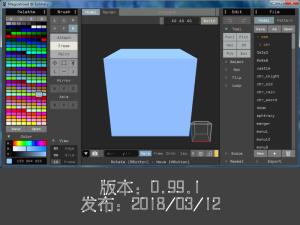
0.99.1 - 3/12/2018
-
渲染器(隐藏菜单)
- 大气散射 Skydome:瑞利/米氏散射
- Bladed Bokeu:适用于较大的景深
- 拉伸布隆过滤器
- 网格:可以更改间距,宽度和颜色
- 视野(FOV):将范围更改为:1-360
- 修正一些错误:例如布卢姆暗点
- 更多选项被保存到文件中,格式也被更改
-
编辑
- 在编辑器中对齐对象
- 新对象正在使用最后的模型大小
- 修复使用 unicode 路径导入文件
- 在 config 中添加默认导出和快照文件夹
0.99a- 11/23/2017
1.模型编辑
支持多个对象
较大的场景:(-1024,+ 1024)
组对象
引用对象/组:修改其中一个引用会影响其他
转换对象:旋转,翻转,移动
矩形选择:“SHIFT”添加选择,“ALT + SHIFT”删除选择
翻译 Gizmo 和自由移动:“Shift +移动”来获取参考副本
工会结合对象
在世界编辑器和模型编辑器之间复制/粘贴对象
隐藏物体
改变绘画和组合的对象的顺序
图层:隐藏具有相同图层标记的对象
热键“TAB”在模型编辑器和世界编辑器之间切换
热键“TAB”/“SHIFT + TAB”进入/离开组
2.渲染
性能得到优化
支持更大的音量:512x512x512,1024x512x256 或者 1024x1024 x128
可以复制/粘贴资料[CTRL + C / V]或者 Matter-> C / P
渲染设置保存到文件中:照明,镜头,地面/边缘颜色等。
起霜效果是自动计算的,也可以暂停
可以显示不变的颜色背景:View-> Back
3.立方体查看
平稳的相机过渡
单击立方体面/边/顶点设置为 26 立体视角(90/45)
左拖动视图立方体来旋转视图
快捷键“4”以重新查看; 热键“5”到 6 面观(前面,后面等)
“Z +左拖”缩放视图
“X +左拖”旋转视图
“空格 + 左拖”移动视图
“7/8”保存/加载视图
4.自动备份
每 25 步自动保存到“缓存/”文件夹
5.UI
ui 缩放高分辨率屏幕:在控制台中输入“ui scale 1.5”或在 config.txt 中更改“ui_scale”
面板是可扩展的(一些 uis 被隐藏在后面)
调色板:从屏幕上挑选颜色:“ALT +左拖”
降低 CPU 使用率:只在需要时重新绘制“
6.局限性(将来的版本会有所改进)
不稳定
导出:只能导出单个模型,不能导出带有偏移和名称的模型
渲染:没有体素形状
动画:没有基于框架的动画
0.98.2 - 4/1/2017
-
盛开
- 单击布鲁姆部分的按钮来计算开花效果时,任何 rendeirng 设置已改变
- 它有自己的进度条,并使用同一批样品的顶部
- 用滑块调整权重,也不会重新绘制
- 它将使“摄像机 - > ACES”自动
-
背景虚化
- 它具有较大的孔径尺寸为 DOF(景深)
-
HDR 发光材料
- 式被改变为“的 Emit *(10 ^功率)”
- “辉光”仅用于增强布鲁姆和背景虚化效果
-
暂停渲染和即时反馈
- 点击图像 - > “||”暂停渐进式渲染
- 使能“的 Sample-> GI”
- 材料的每一个变化会立即显示在视窗
- *昂贵的选择,高端 GPU 推荐
-
天空背景
- 使能“查看 - >返回” [CTRL + B],显示天空作为背景
- 衰落磨成地平线是“雾”滑块 controled
- 真正的雾,使“雾”首先
-
地面材料
- 你可以使用“ALT + LButton”点击地面,然后分配“金属”材料,它
-
像素化渲染
- 关闭“查看 - > AA”禁用抗锯齿并设置图像尺寸小(128,例如)
0.98.1 Beta 版 - 2016 年 12 月 30 日
-
选择
- 新的“框/矩形/地区”选择笔刷
- 新的选择工具“编辑 - >选择”:复制/粘贴,取消选择/逆选择等。
- “安装/删除/漆”刷只能在未选择的体素操作
- “移动/删除颜色/替换颜色”画笔可以同时选定和未选定的体素操作
- 编辑工具只能在选定的体素操作
- 变换工具“翻转/旋转/循环/缩放/重复”修改各地的地方中心选择体素
- “导出”出口仅选择体素是否存在选择
-
选择笔刷
- [+ SHIFT]添加选择,[+ SHIFT + ALT]减去选择
- 框中选择:在框中选择素
- 矩形选择:屏幕内 RECT 选择体素:[K + RButton]点击体素以导航到 90 度的视角
- 地区选择:选择相同体积内体素,一样的脸,或者用相同的颜色
-
图案画笔
- 可以直接从选择创建模式:对于纹理表面非常有帮助/复制小的形状
- 可以绕 Z,X 模式,Y 轴与键“ - / +,9,0”
- 可以添加本地偏移模式与方向,翻页键
- 复位本地偏差为 0,与 Home 键
-
外框和网格框架
- 可以选择在所有六个面边框
- 查看 - >框架:可以改变间距,测量非常有帮助
-
相机设置
- 照相机 - >吨:ACES 看电影文本色调映射
- 摄像机 - >自由度:景深,单击素与 LButton 来设置相机的焦点
-
杂项
- 命令“直径[轴]”:对角对称性
- 命令“○切片”:出口体积尺寸的图像(宽度,高度×深度)
0.98 - 10/22/2016
-
基于帧的动画
- 支持多达 24 帧的动画
- 一个[Ctrl +拖动]移动框架,[Ctrl + Shift +拖动]重复帧
- 按上一个/下一个按钮播放动画(也可以更改时间步长)
- 拖放多个模型导入动画
- 它也可以用于其他目的,比如同一类别的资产
- 然而,导入和导出动画的功能也不是完全支持
-
新界面
- 材料都保存到文件 VOX
- 如果有未保存的更改,除了名称字段的小按钮会变为橙色,点击保存
- 程序会询问保存更改时,打开新的模型或关闭程序
- 单击每个面板的标题将其关闭
- 工具 - >规模,重复,旋转被删除,取而代之的是,使用控制台命令“的规模,重复,腐”
-
素着色器还支持生成动画
- [新输入]
- 的 iFrame:当前帧索引
- iNumFrames:帧的总 NUM
- iIter:当前迭代指数
- 艾兰德:一个 vec4 随机数更新一次,国际热核实验堆和框架
- [新选项]
- -n:指定迭代的次数,例如。XS -n 8 [shaderName]
- - 上一页/ -cur:指定输入帧, - 上一页对于前一帧,供-cur 当前帧(默认为 - 上一页)
0.97.5 - 09/25/2016
-
雾散射:可以分散所有类型的灯光(太阳/天/地区)
- 只能在 Pers 的/自由拍照模式
- 适用于玻璃/金属材料(可以从太阳光反射/折射)
- 表面也可以通过散射光点亮
- 可以建立光杆
- 可以创建背景,小雾密度
- 雾的颜色主要取决于光的颜色和在散射颜色
-
地变更为无限大的所有相机模式
-
通过删除未使用的分支优化着色器
0.97.4 - 07/05/2016
-
新的发射区照明
- Emit->电源:辐射通量的区域照明
- Emit->光晕:接近表面上的能量损失
- Emit->合计:合计为所有体素或功率密度电源
-
提示:
- 需要启用“GI”选项进行高级效果
- 仅支持立方/ RG / RE 体素形状
- 为小而强的光源(例如点光源),可使用 Emit->共
- 使用较低的图像分辨率建议(例如 640×480)调整参数时
- 为更好的品质最终图像的,建议使用更多的样本(如 5000)
- 不是非常稳健此版本(有几个潜在的假象)
- 如果它仍然太黑了,不要忘了使用后> E 增加曝光
-
修正了“玻璃”材料,几个文物
0.97.3 - 06/05/2016
-
新金属/塑料材料 GGX NDF
-
帖子的影响
- 后> E:曝光,当场景太暗,你可以增加此
- 后> N:晕影
- 照相机 - > G:伽玛校正
-
从调色板拿起太阳/天空颜色
-
柔和阴影质量更好
-
样品 - > GI:在右上方,启用为更好的间接照明随机取样
- 它是较慢的(〜50%)和有噪声的(需要 3000+ 样品)
- 使用它的室内场景,更大的曝光,或最终渲染
0.97.2 - 03/02/2016
-
导出 - >烘烤:烘烤与环境遮挡和软阴影体素网格:
- 实施例上 Sketchfab
- 必须支持内置的渲染器,如果程序崩溃,从恢复模式“缓存/”
- 它可能需要几秒钟或半分钟,视机,型号,和样本数
- 设置样品编号,方向和在渲染器模式光源强度
- config-> bake-> perface:烘烤每个面(像素化)或每顶点(平滑)
- config-> bake->环境:稳定的环境颜色,使场景更明亮
- config-> bake->伽马:用于与伽马校正的应用程序,将其设置为 2.2,以避免颜色洗出
-
新 CMD“odir”:导出所有机型当前文件夹中,例如“odir OBJ”
-
调色板“ALT + DRAG”:交换调色板颜色不改变模式,使之更容易组织调色板
-
修正了.qb 出口中的错误
0.97.1 - 02/15/2016
-
新体素着色器:
- 支持 GLSL 基于着色器脚本生成您的自定义卷
- 着色器在新文件夹着色器/
- 尝试在控制台键入[XS 波]开始
- 基本的命令格式是:XS [着色器名] [为 arg0] [ARG1] [..]
- 如果你要多次运行着色器在一次运行,使用方法:XS [NUM] [着色器名称] [参数...]
-
新画笔选项:
- [V] oxel 模式:3D(体积:立方体,球体),2D(平面:方形,光盘),苏(表面,仅上操作表面)
- -add 热键 1-9 快速设置画笔大小
- 询问服务两者正方形和圆形形状:[C]输入模式
- [P] attern 模式:可以选择使用任一原始模型的颜色或当前调色板颜色;
- - 可以在擦除和绘画可以应用
-
新的移动立方体出口[导出 - > MC]:导出体素模型作为移动立方体网格(.ply)
-
摄像机控制:使用鼠标中键来移动相机
-
缓存文件夹[缓存/]:程序将退出程序或渲染模型前自动备份模型
-
OBJ 导出透视:固定的 bug 的 OBJ 支点,您还可以设置自定义的支点在 config.txt-> file_obj
-
调色板命令:add 命令[PAL 掩模]掩盖了在未使用的调色板颜色
-
修正了奥尔特/ ISO 相机渲染,仍然是一个小错误不是很强劲,虽然
0.97 - 11/30/2015
-
增强的画笔,改进用户界面和文件系统:
- 保存并用于所有调色板,模型,导出,截图文件打开对话框
- 面刷:通过与各种模式拖动拉伸表面
- 素刷:已经集成了立方和球刷,用镜子和轴模式工作
- 圆刷:不操作圆的中心体素;支持甚至直径大小
- HUD:体素坐标,体积大小,面层,圆半径显示在控制台
- 摄像头:加 X + RButton 选择相机聚焦中心,和黄键切换自动对焦摄像头
- 出口:等距和 2D 精灵出口固定 OBJ 出口和更多配置选项
- 渲染:灯 - > 0 被改变为纯颜色模型;在 ORTH /异模式地面将是无穷大
- 对于 UI 多个改进
0.96.3 - 08/15/2015
- 就事论事>玻璃:新的体素透明折射和衰减
0.96.2 - 08/09/2015
- 就事论事> SEL:每调色板材料设置(使用ALT + LButton或LButton选择材料)
- 新的发射材料;镜子反射(粗糙= 0);超过 8 光反弹
- 文件夹路径在配置文件中设置;错误固定的 obj 出口
0.96.1 - 07/05/2015
- 导出 - > ISO:新等距精灵出口
- 导出 - > OBJ:基于颜色的网格简化为.OBJ 格式
- 型号列表:可拖放文件夹型号列表以改变其根路径
0.96 - 05/24/2015
- 渲染器支持各种形状的体素(乐高,移动立方体,球体,圆柱体)和圆角,有色网格
- 相机支持 stereographics 投影,径向畸变,埃舍尔德罗斯特效果
- 使用 F5 / F7 来保存/加载当前相机
- 性能改进和 bug 修复
版本列表
-
-

-
MagicaVoxel v0.99.6.3 官方版
MagicaVoxel(体素编辑器),MagicaVoxel体素编辑器是一款功能强大 ...
软件大小:3.7 MB 更新时间:2021-06-18
-
-
-

-
MagicaVoxel v0.99.5.1 官方版
MagicaVoxel是一款轻量级的像素建模工具,MagicaVoxel让你可以快速 ...
软件大小:3.5 MB 更新时间:2020-08-06
-

