
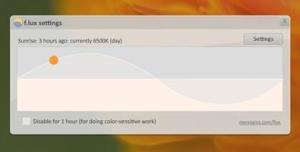
f.lux
|
软件语言:
|
软件授权:免费
|
|
适用系统:Windows
|
创建时间:2020-12-10 |
|
软件厂商/开发者信息: -
|
|
资讯 更多
- f.lux v4.118.0.0 正式版更新 2020-06-28
简介
f.lux 创意十足很贴心的一款自动屏幕亮度色彩调节,创意在于会根据时间变化,自动调节电脑屏幕的亮度、色彩,让电脑屏幕始终适合保持在适合阅读的状态。f.lux 会据此判断日出、日落时间,分析出特定时间的光照强度,并以此为依据调节屏幕。f.lux 支持 Windows、Mac、Linux 和 IPhone 及 IPad。
英文简介
Ever notice how people texting at night have that eerie blue glow?
Or wake up ready to write down the Next Great Idea, and get blinded by your computer screen?
During the day, computer screens look good—they're designed to look like the sun. But, at 9PM, 10PM, or 3AM, you probably shouldn't be looking at the sun.
lux
F.lux fixes this: it makes the color of your computer's display adapt to the time of day, warm at night and like sunlight during the day.
It's even possible that you're staying up too late because of your computer. You could use f.lux because it makes you sleep better, or you could just use it just because it makes your computer look better.
下载和使用
下载
在国内有很多软件基地都提供该软件的下载,但该软件为英文版本 (目前还未出现中文版本),您只需要在百度搜索这个软件的名字即可(提示:在搜索该软件的时候一定要记住是 F.lux 而不是 Flux 记住 F 后面有一小点)
安装
Ubuntu10.04+ 用户可通过命令安装:
sudo add-apt-repository ppa:kilian/f.lux
sudo apt-get update
sudo apt-get install fluxgui
Linux 其他发行版用户可到主页下载。
工作原理
f.lux 会据此判断日出、日落时间,分析出特定时间的光照强度,并以此为依据调节屏幕。
使用
F.lux 我们大致可以理解为是根据日落时间来判定屏幕明暗度的调整时间,所以这里的设定的时间就是非常之重要。
由于软件是国外的,那边的时差和我们中国有一定的差距,设置中可以为我们提供不同国家和不同时间的明暗调节。
这里我们只需要设置 地理位置的经纬度即可。
例如我们输入:29.35,106.33 就可以直接转为中国重庆的经纬度。
F.lux 简易调整选项
1.最大亮度和最低亮度的区间 (建议保持默认);
2.设置你的经纬度 (有链接 google 地图,输入城市自动给出经纬度);
3.亮度变化的速率.20s 或者 60min,两个选择;
版本列表
-
-

-
F.lux自动护眼工具 v4.120 绿色中文版
F.lux自动护眼工具,f.lux是一款可以根据时间自动调整频幕色温的护眼软件。一般 ...
软件大小:660.0 KB 更新时间:2021-06-23
-
-
-

-
f.lux v4.118.0.0 正式版
Flux根据日出日落自动调节屏幕色温,缓解您的视觉疲劳,只要您设定好您的所在地,f. ...
软件大小:643.0 KB 更新时间:2020-06-28
-
-
-

-
f.lux v3.0.0.1 绿色版
f.lux是一款可以根据时间自动调整频幕色温的护眼软件。一般我们到了中午的时候光线会 ...
软件大小:403.5 KB 更新时间:2016-08-15
-

